Last updated by Rachel N on 04/09/2025

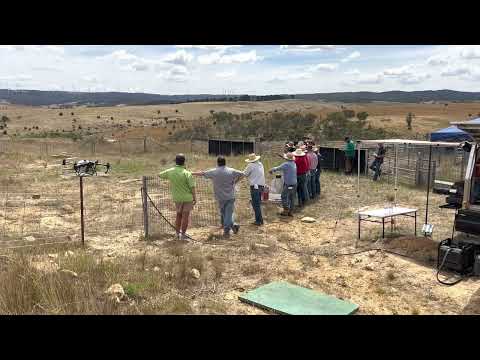
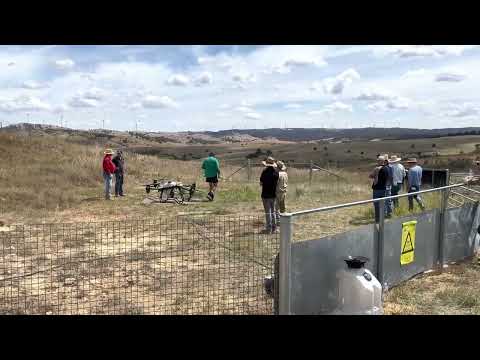
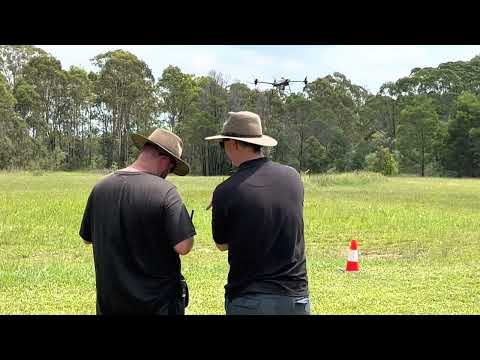
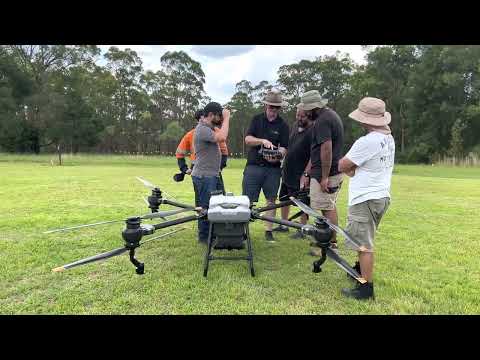
We now offer an end-to-end Remote Operator’s Certificate (ReOC) service for RePL holders.
DFH packages your application, coordinates with our CASA-approved Delegate partner, and gets you interview-ready real fast.

Have more questions about the process or paperwork? Visit our detailed FAQ:
ReOC Frequently Asked Questions


Must-have before you start:

  • unchecked

    RePL already issued, and

  • unchecked

    Any Type Ratings (TRs) you want listed on the ReOC must already be on your RePL.

Note: Adding TRs later requires a CASA ReOC Variation (Form 101-02) and extra fees. If you need help upgrading/adding TRs later, ask for our Consultancy Services (we can guide you).

What you’ll need to start

  • unchecked

    ARN, ID, and entity details (individual or company/ASIC)

  • unchecked

    Your ops scope (what you plan to do) and aircraft list

  • unchecked

    Willingness to complete: Form 101-06, DFH intake form, and provide supporting docs

Note: You do not have to worry about these going with DFH, we will provide a detailed list on what we need from you.


Why DFH?

  • Speed & certainty: We work with an active CASA Delegate. We package clean files so you’re not stuck in back-and-forth.

  • Operator-friendly coaching: Practical help from Rachel (Operations) who supported multiple real-world RPAS jobs.

  • Interview confidence: Focused prep so you know what to expect and how to answer.


Packages

Fast-Track (Recommended) — $2,380

Designed for people who want minimal friction and maximum momentum.

What’s included:

  • 1 × 60-min onboarding call (what to submit, how to fill forms, tidy your docs)

  • 1 × 60-min interview-prep call (Q&A, scenario approach, mission pack check)

  • DFH intake & packaging, handover to Delegate, status tracking

  • Customised Operations Manual, scenario & interview

  • Access to DFH resource kit (NAIPS/ERSA how-tos, mission pack examples and more)

  • Email support up to the interview (short clarifications welcomed)


Lightweight — $1,980

For confident applicants who just want the basics.

What’s included:

  • 1 × 30-min consult (Q&A and direction)

  • DFH intake & packaging → Delegate

  • Delegate provides manual, sends scenario & books interview

  • Access to DFH resource kit

Note: Ongoing 1:1 help beyond the 30-min consult is billed as consultancy.


Our Workflow (at a glance)

  1. Lead in → Tell us if you are Individual / Company.

  2. DFH sends: Intake Google Form + document checklist.

  3. You send: Completed Form 101-06, intake form, and checklist docs.

  4. DFH packages & submits to Delegate (we’re cc’d on key emails).

  5. Delegate:

    • Quick pre-interview call

    • Provide custom manual, sample JSA/RA, scenario, and booking link

  6. You complete scenario answers & mission pack (JSA, RA, Flight Authorisation).

  7. Interview by phone/online → Knowledge Deficiency Report KDR (if any) → fix & return.

  8. Delegate submits to CASA → CASA grants and ReOC issued.


Consulting & how to get the most from it

  • Prepare a written list of questions for our consultant (Rachel) at least 2–3 days before your booking.

  • We’ll tailor the call to your scenario, point you to the right AIP/ERSA/NAIPS references, and show how to evidence your planning.

  • After you speak with the Delegate and receive your scenario, use our resources to assemble your mission pack. We can sanity-check key items in your Fast-Track prep call.

  • Between calls, we’ll handle quick queries by email, deeper work falls under consultancy.


Add-ons & future changes

Need to add a Type Rating later or change your ReOC? 

That’s a Variation (Form 101-02) and attracts extra fees. We have packages to help with TR upgrades, aircraft additions, nominated personnel changes, etc. 

Note: Ask for our Variations & Area Approvals support.


Last updated by Rachel N on 27/08/2025

This step-by-step guide shows ReOC holders how to apply for special approvals when your job needs anything outside the basic Part 101 rules (e.g. controlled aerodrome, >400 ft AGL, BVLOS). It also lists what to prepare before you fill in CASA Form 101-09 and how to keep your application clean and fast.

Here is the link to the CASA Form 101-09.


1) Know what you’re asking for (tick all that apply)

On Form 101-09 you’ll select one or more of:

Area Approvals (CASR 101.030)

  • Above 400 ft AGL in controlled airspace

  • Above 400 ft AGL in non-controlled airspace

  • Within 3 NM of a controlled aerodrome

  • Within 3 NM of a military controlled aerodrome

  • Above 400 ft AGL within 3 NM of a controlled aerodrome

  • Over a movement area of a controlled aerodrome

  • Over an approach/departure path of a runway at a controlled aerodrome

RPA Permissions (CASR 101.080)

  • Over a movement area of a non-controlled aerodrome

  • Above 400 ft AGL within 3 NM of a non-controlled aerodrome

Visual line-of-sight (CASR 101.029)

  • BVLOS (beyond visual line-of-sight)

Tip: If your job is near a towered airport and above 400 ft AGL, you will usually need to tick both the aerodrome proximity item and the above 400 ft item.


2) Pre-application checks & evidence pack

Prepare these before you open 101-09:

Airspace & approvals

  • Use OpenSky (or another approved planning tool) to see whether your site is inside CTR/CTA, near an aerodrome, or within restricted/prohibited areas.

  • Verify with Aviation charts (VTC/VNC/PCA) and the ERSA entry for the nearest aerodrome. Access free resources from Airservices Australia.

Mission planning documents (attach to 101-09):

  • unchecked

    Updated RPAS operations manual

  • unchecked

    Updated RPAS operational procedure (library)

  • unchecked

    Filled Flight Authorisation (from your Ops Manual)

  • unchecked

    Filled JSA (Job Safety Assessment) with a map/screenshot showing site hazards, eg. TOL sites, observers, exclusion & safe zones, signage etc.

  • unchecked

    Filled Risk Assessment (RA) created for this specific mission (not a generic “tick-and-flick”)

  • unchecked

    Site coordinates/ Maps of the operational area (lat/long in aviation format) (KMZ file) 

  • unchecked

    Aeronautical radio qualifications (AROC) is attached


  • unchecked

    Permissions (landowner, council, facility manager) if required

  • unchecked

    Letter of Agreement (LOA) for Defence oversighted aerodromes 

  • unchecked

    BVLOS Concept of Operations document (CONOPS) is attached (if applicable)

If near/inside controlled aerodrome (CTR)

  • VHF radio capability and ATC coordination plan (who/when to call, standing instructions)

  • Be ready to publish/arrange a NOTAM if your approval/ATC requires it (many approvals impose a NOTAM lead time). Keep a NAIPS login handy for briefings and any NOTAM coordination requirements.

If the site is DJI-geofenced

Record-keeping

Ensure your records system:

  • Complies with AIP & Part 101 MOS;

  • Can show evidence of planning on audit;

  • Retains records 7 years and has a backup (or you must cease operations while down).


Last updated by Rachel N on 18/08/2025

Previously, there has been a heated debate on whether the T100 is considered the Medium or Large RPA category. 

Globally, DJI lists Max Takeoff Weight (MTOW) up to 175–177 kg for certain T100 configs → that would be Large RPA (>150 kg). Two weeks ago, DJI limited Australian T100 operations to a maximum gross weight of 149.9 kg. Under CASR 101.022, that places the T100 in the Medium RPA category (>25 kg and ≤150 kg). 

Not just selling the T100, DFH can assist you get compliant fast: RePL, ReOC application support, arrange Type rating exams. We also provide operations setup days.

▶️ Watch on YouTube: https://www.youtube.com/watch?v=mz0rcCpcQ7g


What changed?

  • Weight & category: With operations capped at 149.9 kg MTOW, T100 use in Australia falls under Medium RPA (CASR 101.022)

  • Why that matters: Medium RPA thresholds trigger specific licensing and operational requirements (RePL upgrade - Type Rating, ReOC ops, procedures, documentation).


What you’ll likely need to operate the T100

  1. RePL + Type Rating for the T100 type
    You will need the Standard RePL first. Then a type rating assessment on the T100 is required to legally operate it. DFH is now getting our own TR on T100, we are also happy to assist our customers in arranging the exams.

  2. Operate under a ReOC with appropriate documentations
    For paid/commercial work, you’ll need a ReOC with matching scope, manuals, procedures, and risk controls. Civil Aviation Safety Authority

  3. If you already have the ReOC.

You will need to submit a ReOC significant change to CASA to include the T100 in your operation manual and library. To do it, you need to have obtained the T100 Type rating first. Give us a call if you need assistance.

Please make sure the manual, library, maintenance, RA/JSA, emergency procedures and more, everything is aligned to Medium RPA risk.


How DFH helps

  • T100 sales, commissioning & tech support

  • Authorised sales of DJI Agras T100 with options for finance and insurance referrals.

  • Setup Day (on-site or at DFH): commissioning, firmware, app setup, crew roles, weight & fill calculations (≤149.9 kg), brief on workflow, maintenance & record-keeping, and more!

  • Tech support: phone/email escalation, warranty handling, spares & repairs, firmware/update guidance, and operational troubleshooting.

  • RePL standard course & T100 type training – we can arrange training for you.

  • ReOC application support – we prepare or co-prepare compliant manuals, forms, and evidence packs, then coordinate with a CASA delegate for initial ReOC approval.

Fast-track option: Already flying T50 or other AGRAS drones? We can assist you in how to amend your current systems to Medium RPA requirements, fill the gaps, and schedule your upgrade pathway.


FAQ

  1. Is the T100 “Large RPA”?
    No. In Australia, Large RPA is >150 kg; Medium RPA is >25 kg and ≤150 kg. At 149.9 kg, T100 is Medium RPA.


  1. Can I fly the T100 under the “excluded” category?
    Most commercial work will require a ReOC and RePL (Medium).


  1. I already have a Small RPA RePL—what’s my upgrade path?
    The Part 101 MOS sets standards for upgrading from small to Medium RPA. You will need a Type rating T100 exam to obtain the rating.


  1. I already have a Medium RPA RePL (for T50 type) and a ReOC. What do I need to add to operate the T100?

You’ll need a T100 type endorsement. For the ReOC, ensure your Ops Manual explicitly includes DJI Agras T100 and related procedures Then, submit a ReOC variation (Form 101-02) with updated manual/procedures, and all related documents.
Also, register the T100 with CASA and update insurance (if applicable).


  1. Do I need new manuals?
    Yes, each Medium RPA ops has their own manuals and procedures, maintenance etc. You will need to update your current ReOC and submit it for CASA’s approval.


Get started with DFH

  • Give us a call: On the type of drones you are interested in. We will advise the documents required.

  • RePL upgrade & T100 type training: We’ll arrange your training plan, no worries.

  • ReOC application: Choose DFH-prepared manuals or co-prepared with a CASA delegate


Call 1300 029 829 today to secure your slot for the next T100 intake.


Last updated by Rachel N on 12/08/2025

Modern DJI drones, from the Agras series for spraying to the Mavic 3M and other mapping platforms, already give farmers a big edge in efficiency. But the real power comes when you combine drone imagery with advanced analytics.

Platforms like Solvi and Agremo turn your aerial maps into actionable insights, so you’re not just looking at pretty pictures, you’re making better farming decisions. 

Here’s how each key function works and how it adds value to your drone operations.


1. Stand & Plant Counting – Measure Emergence, Reduce Guesswork

After planting, one of the first questions is: “Did my crop establish well?”
A stand count analysis uses drone imagery to automatically count plants or seedlings across the field.

  • Why it helps: Quickly identifies poor emergence zones so you can decide if replanting is worth it. This means less walking, faster scouting, and targeted action.

  • Drone tie-in: Fly your Agras drone (with camera module) or a mapping drone, upload the images, and get a complete emergence report without stepping into every row.


2. Plant Health & Vigor Maps – Target Inspections and Inputs

Using indices like NDVI, these maps show crop vigor in colour — green for healthy, red/yellow for stressed.

  • Why it helps: Pinpoints problem areas from pests, disease, nutrient deficiency, or water stress before they spread.

  • Drone tie-in: Run a mapping flight with your Mavic 3M or similar multispectral drone, then send the output to analytics software. You’ll know exactly where to spray, irrigate, or test soil — saving time and inputs.


3. Weed Detection & Spraying Zones – Spray Where It’s Needed

AI-powered weed detection identifies weed-infested areas in the field and maps them into zones.

  • Why it helps: Enables spot spraying or variable-rate herbicide application, cutting chemical costs and reducing crop damage.

  • Drone tie-in: Agremo can generate DJI Agras-ready “recipe maps” for immediate spraying. Solvi can also produce weed zone files — you just load them manually into the drone’s app.


4. Yield Prediction – Plan Harvest and Marketing

Yield prediction tools estimate production before harvest, using plant counts, health data, and growth models.

  • Why it helps: Allows you to plan storage, logistics, and sales earlier in the season, and manage cash flow with more certainty.

  • Drone tie-in: Capture imagery mid-season, run the analysis, and adjust fertiliser or irrigation to boost yield where it matters most.


5. Specialty Analyses – Go Beyond Basic Mapping

From trial plot analysis for research to damage assessment for insurance claims, specialised analytics open up new value streams.

  • Why it helps: Gives you data-backed evidence for insurers, trial partners, or agronomy decisions. Productivity zoning helps you manage variable inputs more efficiently.

  • Drone tie-in: Use your mapping drone to capture high-resolution images after storms, trials, or throughout the season — then turn those images into actionable maps and reports.


6. DJI Agras Integration – Close the Loop from Map to Action

Analytics aren’t just about observation — they guide immediate action.

  • Why it helps: By linking analytics outputs to your Agras spray missions, you can act on insights instantly — whether it’s spraying only stressed areas, adjusting rates for different zones, or applying fertiliser where it’s needed most.

  • Drone tie-in: Agremo offers one-click DJI Agras compatibility, while Solvi exports standard SHP/GeoTIFF files that you can import into the DJI app.


The Bottom Line

Your DJI Agras or mapping drone is a powerful tool, but pairing it with analytics like stand counts, vigor maps, weed detection, yield forecasts, and zone management transforms it into a complete precision agriculture system.
Instead of treating every hectare the same, you can make data-driven, targeted decisions that save time, reduce costs, and maximise yields.

Whether you use Solvi’s fast, flexible self-service tools or Agremo’s turnkey, Agras-ready reports, integrating analytics into your drone workflow means you’re getting the absolute most out of your investment.


Check out this article to decide between Solvi and Agremo!


Last updated by Rachel N on 12/08/2025

In the last article, we discussed Drone Analytics in the Agriculture field. Check it out!


This article provides a technical yet farmer-friendly comparison of Solvi and Agremo, helping you understand which tool might fit your needs and encouraging you to try these modern solutions for crop analysis and yield predictions.


Introduction
Drone analytics can turn aerial imagery into actionable farm insights. Solvi and Agremo are two leading platforms, both work with DJI drones but serve slightly different needs.

They can produce field maps (like NDVI plant health maps, weed hotspot maps, plant counts, and more) to help improve yields and efficiency. However, they differ in their approach and strengths. 


Key Differences at a Glance

Feature

Solvi (DIY Analytics)

Agremo (Report-Based Service)

Main Focus

Research trials, crop counting

Broad-acre precision farming, yield prediction, spray maps

Speed

Same-day results (30–60 min processing)

1–2 days for polished reports

Best For

Agronomists, researchers, tech-savvy farmers

Large-scale growers, DJI spray drone operators


Solvi – Fast, Flexible, Research-Friendly

Workflow: Upload images → process → interact with results.

Solvi offers a Real-time analytics tool. It involves plant counts (via PlantAI™), custom AI training for unique crops, and plot-level trial analysis.

Users upload drone images to Solvi’s cloud, which then quickly stitches the photos into an orthomosaic map and runs analyses. Processing is fast – imagery is typically converted into accurate maps within 30–60 minutes of upload solvi.ag . Solvi emphasizes giving agronomists direct control: with its PlantAI feature, you can perform your own plant counts or detect weeds in the same day (often an hour or two after flying, depending on field size). The platform originated in research and field trial applications, so it offers fine-grained analysis (e.g. per-plot metrics for trials) and even allows training custom AI models for unique crops solvi.ag . 

In short, Solvi’s workflow is interactive and on-demand – you collect imagery and get results back immediately, which is valuable for timely scouting and decision-making.


Agremo – Farmer-Focused

Workflow: Upload images → request analysis → receive ready-to-use reports.

Agremo is more like an all-in-one farming service. It can handle everything from image stitching to analysis to reporting. Agremo offers multiple product modules, for instance, 

  1. Crop Monitoring (for farmers and crop advisors), and 

  2. Field Trials (for researchers)

Agremo’s focus is broad-scale farm management – it covers standard use-cases like stand counts, yield estimates, weed zone maps, plant stress detection, and even direct “prescription” maps for variable-rate applications.

They all operate through a unified web app. A key difference is that many of Agremo’s advanced analytics are delivered as reports on a request basis. After uploading your mapped images and selecting an analysis, you often wait up to 1–2 days to receive the results. This slower turnaround reflects that Agremo’s team or algorithms are processing the data with quality checks, and then providing a polished PDF report, shapefiles, and other outputs. The advantage is that the results are thorough and ready to use, with minimal effort from the user. 


In summary, Agremo’s workflow feels more “send and receive”, you request an analysis and get a professional report a bit later, making it convenient for busy growers who want actionable insights without tinkering with software.


Which Should You Choose?

  • Choose Agremo if you operate DJI Agras drones, need compliance-ready spray maps, and prefer quick, ready-to-use reports.

  • Choose Solvi if you run research trials, work with specialty crops, or need same-day, customizable analytics.


Note: DFH is exploring offering Agremo as a reseller to make it more accessible locally, more information and pricing will be available closer to the date. Keep an eye out for our updates.


Last updated by Rachel N on 01/08/2025

Many customers who recently purchased the DJI Matrice 400 (M400) have reported an issue where the drone cannot link to payloads like the Zenmuse L2 or P1.


We also have the youtube video guiding you through the process ^^ Step-by-step video guide


Why Does This Happen?

This issue occurs because the payload firmware is outdated and does not recognize the newly released M400. While the M400 comes with the latest firmware, older payload versions were designed for the Matrice 300 RTK.


Currently, this cannot be fixed by connecting the payload to DJI Assistant 2 via USB, as the update will fail when the payload is not recognized. Instead, you need to perform an offline firmware upgrade using an SD card.


Steps to Pair M400 with Payloads (L2, P1, etc.)

  1. Download the Latest Firmware

    • Search for the latest firmware update for your payload (e.g., Zenmuse L2 or P1) on the DJI official website.

  • Download the .BIN file (example: Zenmuse L2 Firmware v05.00.10.01).


  1. Prepare the SD Card

    • Insert an SD card into your computer using an SD card reader.

    • Pull the downloaded .BIN file into the root directory of the SD card.

  2. Insert the SD Card into the Payload

    • Remove the SD card from your computer and insert it into the payload.

  3. Power On and Connect

    • Turn on the M400 and the remote controller.

    • Ensure the payload is properly mounted and connected to the aircraft.

  4. Firmware Update Process

    • The payload will start updating automatically.

    • Indicators:

      • White lights will blink.

      • You’ll hear four long beeps during the update process.

    • Wait approximately 5–10 minutes for the process to complete.

  5. Update Complete

    • When the update finishes, you’ll hear two short beeps followed by two long beeps.

    • Power off the aircraft.

  6. Clear the SD Card

    • Remove the SD card and insert it back into your computer.

    • Delete the firmware update package from the SD card to avoid re-installation.

  7. Reinsert the SD Card

    • Place the SD card back into the payload.

    • Power on the aircraft and remote controller.

    • Your payload should now link successfully and be ready for activation and use.


Pro Tip

Always ensure your M400 and payloads are running the latest firmware versions to maintain compatibility and performance.


Need Help?

If you encounter any issues during the update process, Drones For Hire can assist with payload firmware upgrades, DJI enterprise support, and M400 integration.


Contact us:

1300 029 829 | [email protected]


Last updated by Ron G. on 01/08/2025
Repayments From

$817.79/week

$3543.74 per Month
Based on 12.0% annual interest
Repayment amounts are indicative only.


Last updated by Rachel N on 01/08/2025

Drones are transforming the agricultural industry by improving efficiency and reducing costs through aerial spraying, crop monitoring, and livestock management. However, it’s essential to comply with CASA regulations when operating drones in farming or commercial settings. Below is a guide to the current rules and requirements.


Weight Categories & Basic Requirements

≤250 g (Micro) / >250 g to ≤2 kg (Very Small)

  • Operator Accreditation if operating commercially (free, valid 3 years).

  • Drone Registration: (Free for drones ≤500 g, valid for 1 year).

  • Operating Conditions: Must follow Standard Operating Conditions (SOC) at all times.


>2 kg to ≤25 kg (Small)

Own Land (Landowner/ Private Landholder Excluded Category):

  • Operator Accreditation if operating commercially (free, valid 3 years).

  • Drone Registration (1-year validity).

  • Keep operational records.

  • Cannot accept payment for services.

Commercial / Any Land:

  • RePL required for the type/class of RPA.

  • Must operate under a ReOC (or under another operator’s ReOC).

  • Drone Registration (1-year validity).

  • Maintain operational records.

  • Compliance with SOC unless CASA approval is granted for EVLOS, BVLOS, spraying, or swarm operations.


>25 kg to ≤150 kg (Medium)

For drones over 25 kg, even if operating over your own land, CASA requires:

  • RePL with a Type Endorsement for the specific machine (e.g. T50 Type rating).

  • Drone Registration (1-year validity).

  • Keep operational records.

  • Cannot accept payment for services under excluded category.


Complex Operations (Require CASA Approvals)

Extended Visual Line-of-Sight (EVLOS)

  • RePL + ReOC or operate under a ReOC holder.

  • EVLOS procedures in your operations manual (CASA template available).

  • CASA approval required.

  • IREX no longer required for EVLOS.

Beyond Visual Line-of-Sight (BVLOS)

  • RePL + ReOC or operate under a ReOC holder.

  • Pass IREX (or operate under supervising RePL with IREX).

  • CASA approval required.

  • Note: CASA is developing a new BVLOS exam to replace IREX in future.

Swarm Operations (Multiple Drones)

  • RePL + ReOC or operate under a ReOC holder.

  • CASA approval required.


Spraying Operations

  • Own land: No CASA approval required if operating one drone only.

  • Commercial spraying: Requires CASA approvals under ReOC and compliance with local chemical regulations.

  • Check state or territory laws for chemical rating licences, Chemicals License Requirement.


Drones For Hire offers RePL training, ReOC application assistance, and type endorsement courses for agricultural drones such as the DJI T50. We also provide consulting for EVLOS, BVLOS, and swarm approvals.

Contact us today to get started:
Phone: 1300 029 829 | Email: [email protected]


Disclaimer This article provides general information only and does not replace CASA regulations or legal advice. Always refer to the latest CASA legislation and guidance before conducting any drone operations. For official information, visit casa.gov.au.


Last updated by Nick S. on 25/07/2025
Note: work suggested below needs to be performed by an electrician.

Fastest charging – use C12,000 charger (3-phase only)

Setup: C12,000 charger connected to a 3-phase min. 16kva genset (petrol or diesel). 
This Hyundai 18 Kva - 3 phases generator is recommended.

Cable setup: merge the 2x black leads that come out of the charger into 1x 32amp 3-phase plug (large round orange one), to go into the corresponding socket on the genset.

2nd Fastest charging – C10,000 charger

Setup - choose either:

a min 15kva single-phase genset (inverter pure sine wave if petrol)
or,
3-phase min 14kva genset (inverter pure sine wave if petrol)

This Hyundai 18 Kva - single phase generator is recommended.

Single-phase cable setup:
Take the 2x black leads that come out of the C10,000 charger, add a 32amp single phase plug to the end of each cable, and a  32amp single phase socket at the genset.  pics below


image.png
image.png

3-phase Cable setup:

Merge the 2x black leads that cone out of the charger into 1x 32amp single-phase plug (large round orange one), to go into corresponding 32amp single-phase socket on genset.  


image.png


Last updated by Rachel N. on 16/07/2025

You now have two options when renting a drone from us:

  1. Pay a refundable 80% security deposit, which is returned after the rental.

  2. OR choose short-term hull insurance (via Precision Autonomy).

Submit a hull insurance application via this link


If you choose the insurance option:

  1. The policy must include hull coverage and list DFH as an Interested Party

  2. You’ll need to provide a Certificate of Currency before dispatch.

  3. The insurance premium is non-refundable, but frees up your capital.


What is Hull Insurance?

Hull insurance is a type of insurance coverage that protects the property (eg. drone) itself from damage or loss. It means that if the rental unit is accidentally damaged, lost, or stolen during your rental, the insurance can cover repair or replacement costs. It is a great way to financially protect both parties during the rental period.


The optional short-term hull insurance on the rented units is through Precision Autonomy Insurance (PAI). Precision Autonomy provides drone coverage and offers policies that include hull coverage. This will effectively cover the value of the drone during your rental period, and allow us to waive the standard security deposit requirement. This trade-off is attractive for high-value rentals, it frees up your capital rather than locking up with the safety deposit.

PAI will require you to pay for an insurance premium on the order of only a few hundred dollars (exact figures depend on PAI’s rates and your coverage needs). When you go through PAI’s application, you can tailor the coverage to the drone and equipment you’re renting. You will purchase an insurance policy (or add a rider to an existing policy) that insures the rented drone for the duration of your hire. We will then require proof that the insurance is in place (a certificate of currency will be provided by PAI once it has been paid for).

  1. Keep in mind that the insurance premium is non-refundable (it’s the cost of coverage). 

  2. DFH must be noted as an interested party on the policy (meaning the insurer acknowledges DFH’s interest in the equipment). 


How to Apply for Hull Insurance (Step-by-Step)

  1. Request the Hull Insurance Option: When you submit your rental inquiry or booking with us, let us know that you’d prefer to use hull insurance instead of paying the security deposit.


  1. Get a Rental Quote & Info for Insurance: We will provide you with a rental quote as usual, this includes the rental unit cost and shipping fee. We’ll also give you any information you need. This includes:

    1. The registration number of the drone (will be confirmed at a later stage along with the proforma invoice, to continue with getting a quote from PAI, simply put in “TBA” in the Regi

    2. stration/ Serial number section).

    3. The manufacturer, drone model and model year.

    4. Agreed value (for how much it needs to be insured).

    5. The rental duration/dates.The name of the interested party to list (DFH’s details).


  1. Get a Proforma & finalizing the Insurance policy: Once you confirm proceeding with the hire,let us know and we will send over a proforma invoice. This will include the drone SN for you to finalize the insurance policy (and payment) with PAI. 


  1. Purchase Hull Insurance via PAI: You will then need to arrange a hull insurance policy for the drone directly with Precision Autonomy. You will need to go to their website for an online quote in minutes → https://login.precision-autonomy.com/landing/dronesforhire

Precision Autonomy will send you a quote for the insurance premium. If you’re happy with the coverage and cost, you can purchase the policy with them. (PAI will also provide the Product Disclosure Statement and Target Market Determination during this process for you to review, as required by law). Once payment is made, the coverage is active for the specified dates.

Remember to let them know that DFH must be noted as an interested party on the policy (meaning the insurer acknowledges DFH’s interest in the equipment).

  1. Provide Proof of Insurance to DFH: After purchasing, Precision Autonomy will issue you a Certificate of Currency as proof of the drone’s coverage. Make sure this certificate lists Drones For Hire as an interested party (simply request from them when asking for a quote). 

Send this certificate back to us, together with your ReOC, RePL (if applicable to your job type), signed rental agreement

Our team will verify that the policy is adequate. With that confirmed, you’re all set! 

You can then proceed to pay only the rental fee (since the deposit is waived) and we will dispatch the equipment to you as scheduled.


Rental requirements (DFH)

  1. A valid Remote Pilot Licence (RePL) and Remote Operator's Certificate (ReOC) - depending on your job type.

  2. Hull Insurance listing all asset serial numbers and including DFH as an interested party.

  3. Covers the full agreed replacement value of the drone and payloads.

  4. Fully paid quote.


Important:

  1. The insurance premium is non-refundable, while a deposit is returned if all goes well. For short or lower-value rentals, a deposit might be more cost-effective. But for high-value drones or longer hires, insurance often offers better value and peace of mind. 

  2. PAI’s hull insurance covers the drone itself but doesn’t include third-party liability. If your job requires liability coverage (e.g. $20M public liability for commercial work), PAI can bundle this too. DFH’s deposit policy never covered liability.


Important Notes & Disclaimer

No Financial Advice: Drones For Hire is not providing financial or insurance advice in offering this option. We are making it available for your convenience, but whether you choose to use hull insurance (and which policy) is entirely your decision. We encourage you to read the Product Disclosure Statement (PDS) and any other documentation provided by Precision Autonomy to understand the policy terms, conditions, and suitability for your needs. If you have questions about what the insurance covers or requires, it’s best to consult PAI or a licensed insurance advisor. DFH staff can guide you through the process administratively (e.g., what information you need to provide to get coverage), but we cannot advise you on insurance matters like coverage levels or whether it’s the right choice for you.

Referral to Precision Autonomy: When you opt for hull insurance, you’ll be dealing directly with Precision Autonomy Insurance (or their platform DroneInsure). DFH’s role is simply to facilitate the introduction. Any insurance contract is between you and PAI, not with DFH. Our primary goal is to help you access a reliable insurance solution; any commission is a standard industry practice and does not affect our impartiality in presenting this option.

Compliance and Eligibility: The hull insurance option is available to most renters, but there may be certain eligibility criteria or conditions. For example, PAI may require that the drone is operated by a properly licensed individual (e.g., a RePL – Remote Pilot Licence – if required for the operation, or under a company with a ReOC – Remote Operator’s Certificate for commercial use). This is to ensure the risk is managed and legal requirements are met. DFH will likely ask you for proof of any necessary certifications during the rental setup (as we normally do for certain rentals). Make sure to provide accurate information to PAI about who will operate the drone and for what purpose, so that the insurance coverage is valid. Additionally, note that insurance will not cover reckless or illegal acts, so all standard DFH rental terms and operating guidelines still apply when you choose the insurance route.

In conclusion, DFH’s optional hull insurance program (through PAI) is here to give you more flexibility and confidence when renting drones. We’re excited to offer this alternative to the hefty deposit, and we believe it will make renting high-end drones more accessible to many of our clients. If you’re interested in using this option or want to learn more, please contact us and we’ll happily walk you through it. And if you prefer the traditional deposit method, that’s absolutely fine, it remains available. Our aim is simply to provide the best rental experience for you, with choices that suit your needs.